
Thumbtack: Hire Service Pros review
 Analysis by GetAllApps
When something at home breaks, the hardest part is often not knowing whom to call. I find Thumbtack most useful as a place to start that search: it helps me look for local home-service professionals and compare potential options without relying only on a neighbor’s recommendation or a broad web search. For a household where one person spots a problem and another handles the booking, that central starting point can make the handoff easier.
One household problem, one place to start
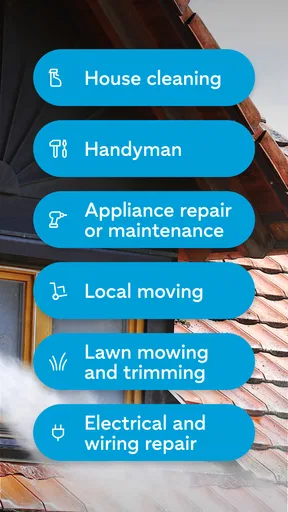
Thumbtack is a free House & Home app from Thumbtack, built around finding people for jobs such as handyman work, plumbing, cleaning, and repairs. Its focus is practical rather than decorative: I would open it when a leaky tap, an overdue clean, or a small repair needs attention and I want to explore who might be able to help nearby.
A realistic use case is a busy weeknight when a cabinet door comes loose just as dinner is being made. One person can describe the job and look for possible help; a partner or housemate can then review the options and decide whether to follow up. That does not mean the app magically resolves household disagreements about cost or timing. It simply gives everyone a shared starting point instead of passing around half-remembered names and scattered search results.
That distinction matters. Thumbtack is not the professional doing the work, and finding a candidate is not the same as confirming that the person is right for a particular job. I treat it as a discovery and comparison tool, then make sure the scope, timing, and expectations are clear directly with the professional before committing.
Keeping the search and the decision separate
For shared use, I would decide early who is responsible for the inquiry and who has final say on hiring. A household may want one person to handle the practical details while another approves the plan, especially for a repair that affects a shared space. Keeping that boundary clear avoids duplicate requests and the awkward possibility of two people pursuing different options for the same job.
I also recommend writing down the actual problem before searching. “The bathroom sink drains slowly and the issue has returned” is more useful than “plumbing help,” because it gives the household a concrete description to reuse when comparing candidates and discussing next steps. If the job changes after someone looks at it, update the description in the conversation rather than assuming the original request covers new work.
One useful trade-off is that a broad local search can produce possibilities, not certainty. A professional who appears suitable may not match the household’s preferred schedule or exact scope. I would avoid treating a promising profile as a finished decision; the follow-up conversation is where practical fit becomes clearer.
Setup boundaries for a shared phone or tablet
On a device used by several people, I would keep the person making a service inquiry in control of the account and any follow-up. Home-service conversations can involve details about the property, availability, and what needs attention. Those are best handled by an adult or another household member who is actually authorized to arrange work, rather than by leaving an open session for everyone to use casually.
Before handing a shared device to someone else, I would close or secure the app as appropriate and avoid leaving an unfinished request visible. This is ordinary account hygiene, not a claim that Thumbtack includes a special household mode. The app is more useful when each person understands whether they are browsing, gathering information, or making a real inquiry on the household’s behalf.
There is also a practical reason not to have multiple people independently start the same search. Separate attempts can create confusing conversations and make it harder to remember which professional was asked about which task. A simple household note with the issue, preferred times, and who is handling the inquiry can prevent that confusion without needing any extra app feature.
Coordinating work without losing the details
When I compare service options, I pay attention to whether the person seems suited to the job described, then clarify the details that affect a real visit: what is included, what information they need, when someone can be home, and what happens if the problem turns out to be larger than expected. Thumbtack can help bring the search together, but the household still needs to agree on those questions and keep the answers accessible to whoever will be present.
A helpful workflow is to appoint one contact person, share a concise description of the issue with the household, and agree on a time window before arranging anything. If a roommate will be home for the visit, tell them what work is expected and who is authorized to approve changes. This is especially valuable for repair jobs, where an inspection can reveal a different problem from the one first reported.
For cleaning or recurring household needs, I would compare the practical arrangement as carefully as the initial appeal of a candidate. The household should be aligned on the areas involved, access, and any preferences that matter. For a one-off handyman task, by contrast, a clear description and a specific question about the repair may be the more important first steps. The best approach depends on the service, rather than assuming every category should be handled identically.
Compared with asking friends for a recommendation, Thumbtack offers a more direct way to begin looking beyond one person’s network. Compared with a general search engine, it is focused on connecting people with local service professionals rather than returning a mix of unrelated pages. The usual alternatives still have an edge in some situations: a trusted referral may be better when personal experience is the deciding factor, while calling a known provider directly can be simpler when the household already has a reliable contact.
Age, trust, and adult oversight
The app is rated for Everyone, but that describes its content rating, not who should make household hiring decisions. I would consider it suitable for a broad audience to browse, while keeping real service arrangements, property details, and commitments with an adult or the person responsible for the home. Younger family members can help identify a problem or explain what they noticed without being put in charge of booking a visit.
Trust should come from checking the fit for the specific task and communicating clearly, not from assuming that any single search result is automatically the right choice. I would ask direct questions when the scope is unclear and make sure everyone in the household knows what has been agreed. If the issue involves an urgent hazard, a specialized requirement, or work that needs formal credentials, I would verify those requirements directly and use the appropriate local option rather than relying on a general search alone.
That caution is not a knock against the app; it is part of using a marketplace sensibly. A household should be comfortable with the person, plan, and arrangements before proceeding. If no option feels appropriate, continuing to compare or using a known alternative is better than rushing because the first search produced a plausible candidate.
What to expect from the app
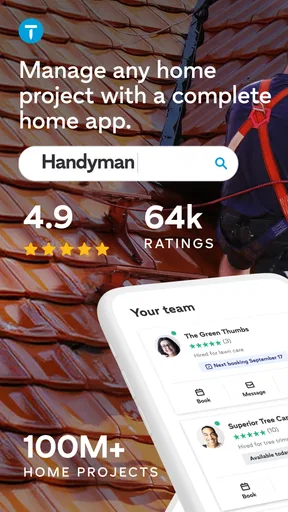
Thumbtack has a 4.9 average from around 66,000 ratings, with about 15,000 written reviews, and it has been installed over five million times. Those figures suggest that many people have used it, but they cannot tell me whether a particular professional will suit my home or whether a local search will meet my timing needs. I use them as context, not as a substitute for careful judgment.
The app is free, carries an Everyone age rating, and its current version is 446.0. It was released on March 13, 2017, and requires Android 9 or later on Android devices. Thumbtack is a sensible fit for people who want a focused way to begin searching for household help, especially when they have a defined job and are prepared to compare options and confirm details.
It is less compelling if you already have a dependable professional, want the reassurance of a personal referral above all else, or need an immediate solution that cannot wait for a search and follow-up. It is also not a replacement for agreeing on household responsibilities or setting expectations with the person who will do the work.
Overall, Thumbtack earns a place in my household toolkit as a practical first stop, not an automatic hiring decision. Its strongest value is helping turn a vague “we need someone to fix this” into a more organized search that the people sharing a home can discuss. If you keep account use and approvals clear, describe the job carefully, and verify the arrangement before committing, it can make finding home-service help feel more manageable. For a trusted existing contact or a situation that demands a specialized route, I would choose that alternative instead.
Pros and cons
Pros
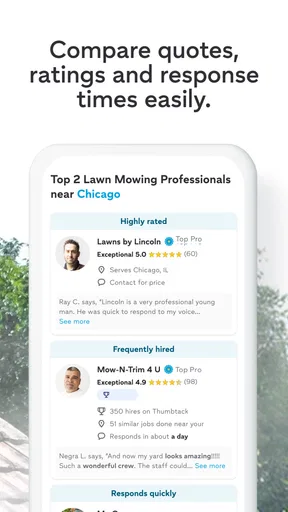
- Compare multiple local professionals before choosing one.
- Browse service options for a wide range of home projects.
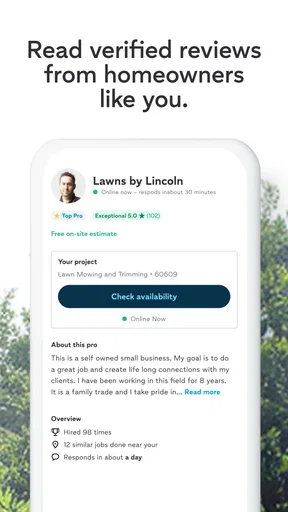
- Review customer ratings and feedback on professional profiles.
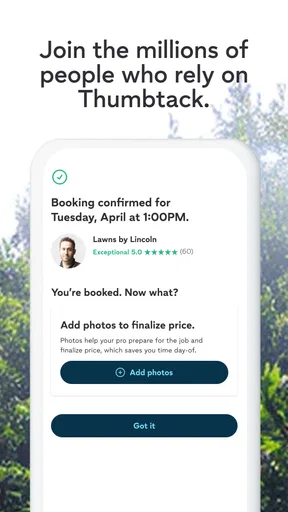
- Message pros through the app to discuss your project.
- Request quotes without committing to a booking.
Cons
- Availability depends on how many pros serve your area.
- Some pros may take time to respond to inquiries.
- Quote prices can vary widely between professionals.
- Final costs may differ from initial estimates.
- Finding the right pro can require comparing several profiles.


